
How it works
Nine stages.Your experience is gathered once, we handle the rest.
Most job search tools treat each step as a separate product. A search here, a resume writer there, a tracker somewhere else, and nothing carries between them. iapplyai.app is one thread: what you tell it at the start is what it uses to judge a role, write an application, complete a form and prepare you for the conversation.
Stage one
Build your career evidence
iapplyai.app reads your resume and turns it into a master record: your roles, your outcomes and the specific things you did. Then it helps you write your story bank, a set of short accounts of work you have actually done, each with a result attached.
This is the only part that asks anything of you, and it is the part everything else depends on. Nothing later invents an accomplishment, because everything later is drawn from here.
Stage two
Set target roles and preferences
You say what you are looking for and iapplyai.app builds a role map: the titles that actually fit your evidence, with a confidence on each one. Some roles score well. Some do not, and seeing that is the point.
Location, remote preference and seniority narrow the search from here.
Stage three
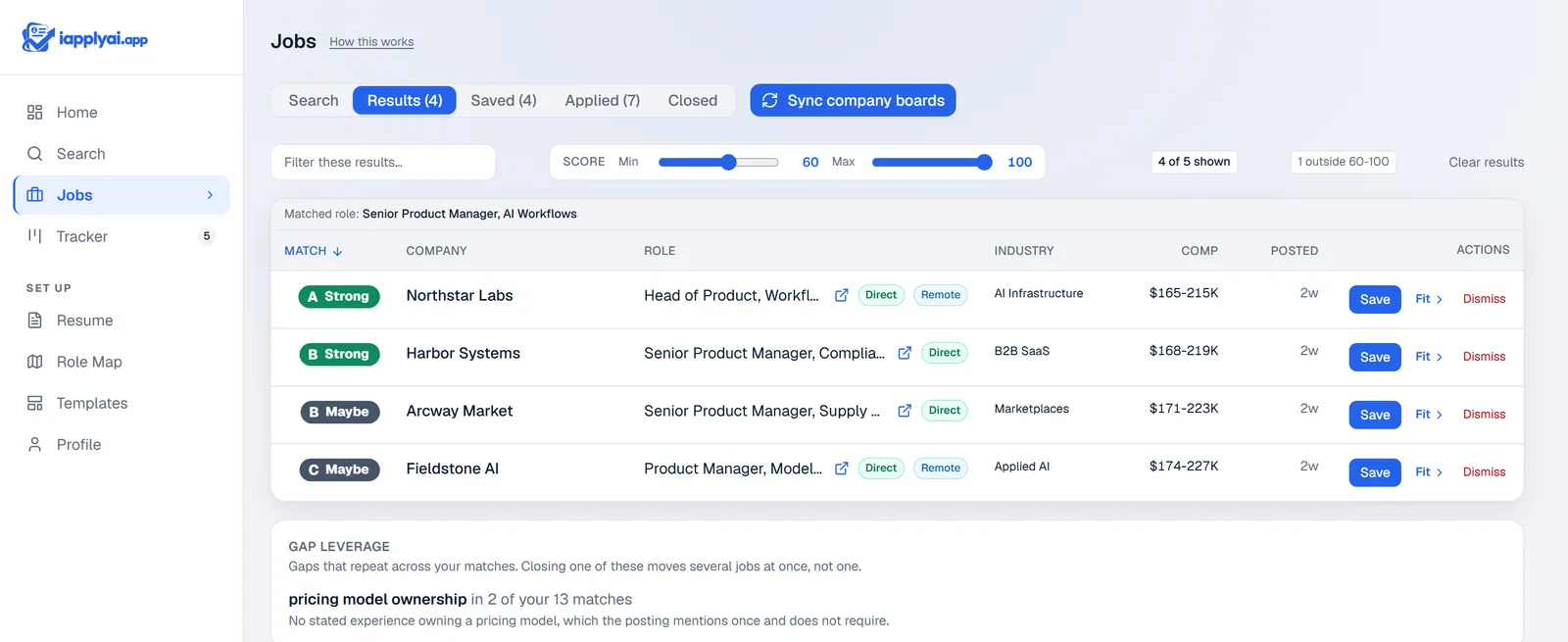
Find opportunities
iapplyai.app reads employer job boards directly, which is where a posting appears first and where its form can actually be read. It also searches the broader market so nothing obvious is missed.
Freshness matters more than volume. A role posted this week that fits you is worth more than a long list you will never work through.
Stage four
Understand the match
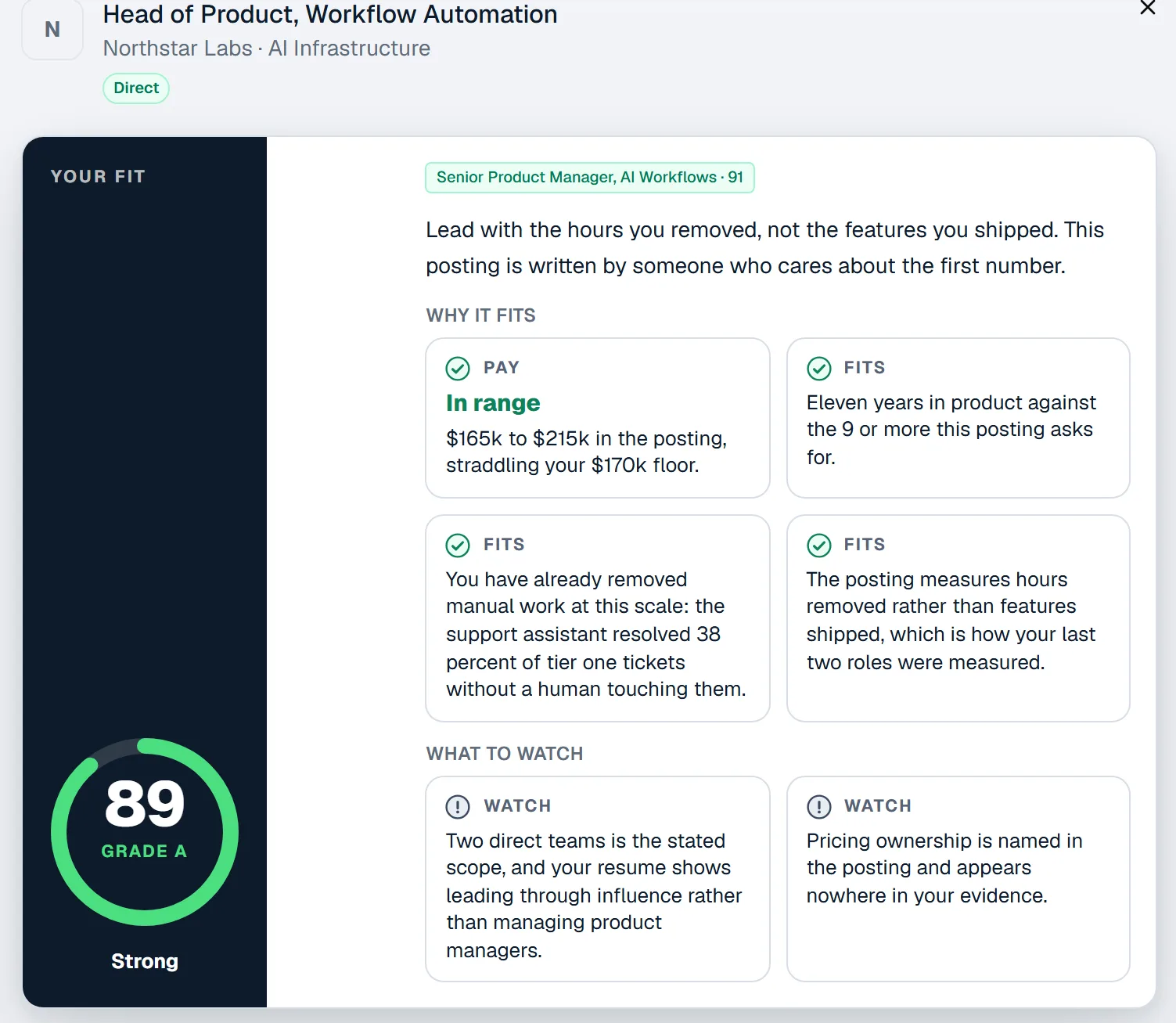
Every job gets a verdict rather than only a number. Strong match, worth a look, or skip. Under it, iapplyai.app says why: which of your evidence lines up, what is missing, and what an interviewer would probably press on.
The gaps are shown as plainly as the strengths. A tool that says every job is a great fit is not evaluating anything.
Stage five
Prepare the application
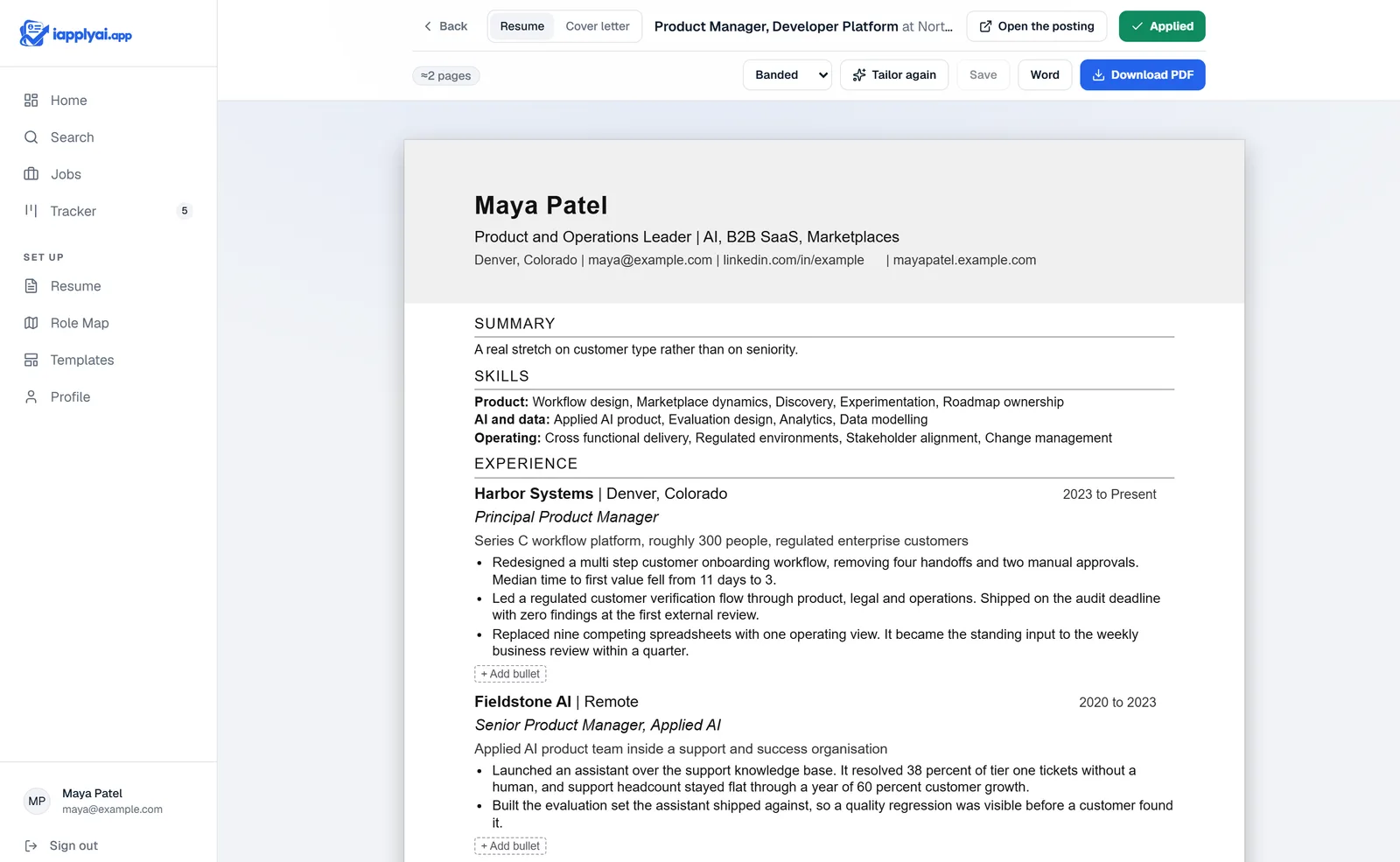
For a role you choose to pursue, iapplyai.app writes a resume tailored to that posting, a cover letter grounded in your stories, and draft answers to the questions the form asks.
The resume is set in an ATS friendly format on purpose: one column, real headings, no tables, text boxes, graphics or decorative layout, so an applicant tracking system reads it the same way a person does. Design that carries no information is left out.
It tells you what it cut and why. You edit anything you disagree with before it goes anywhere.
Stage six
Complete the employer form
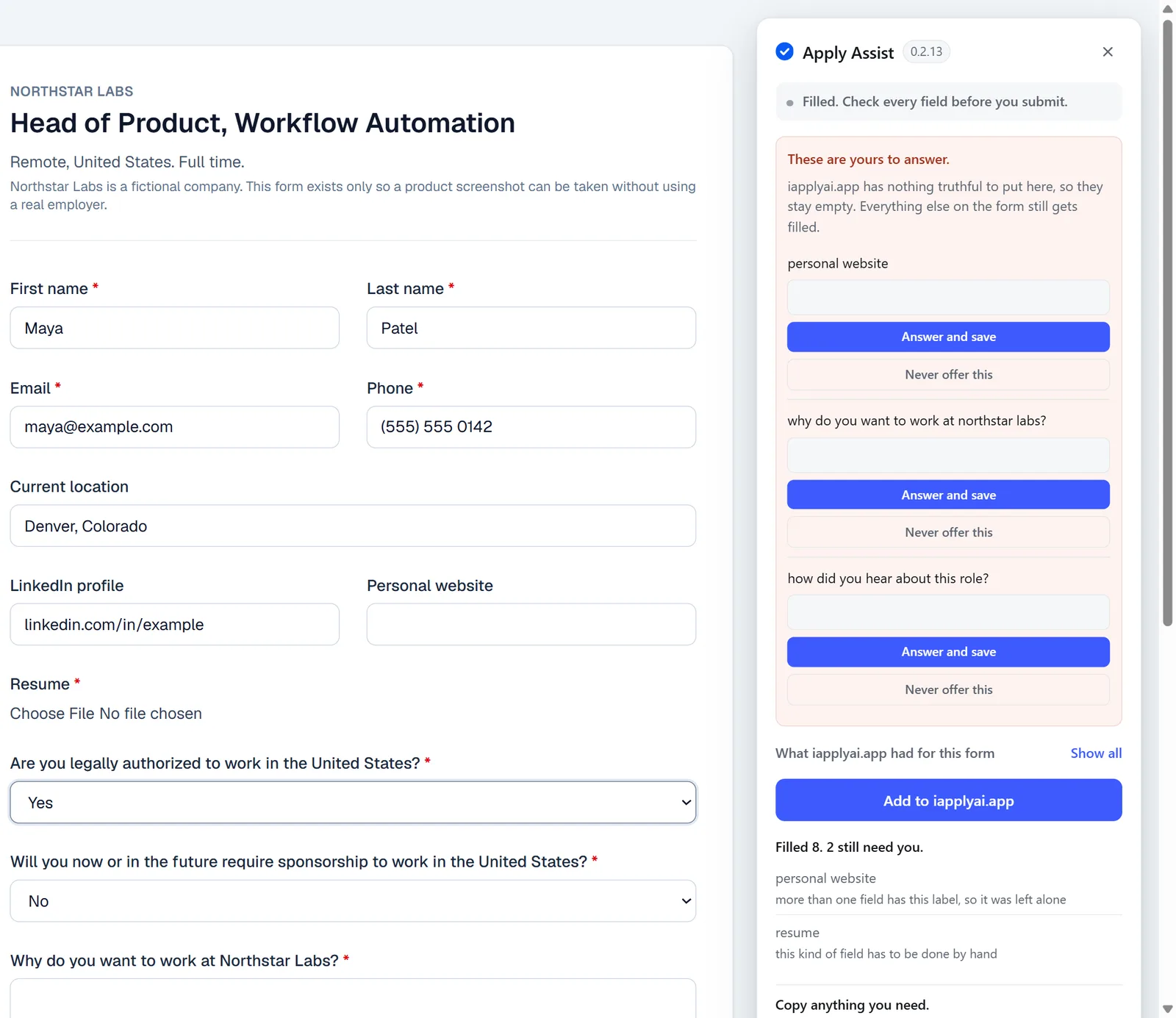
Apply Assist opens on the employer page and fills the fields it can answer from your prepared application. Where a question needs a decision that is yours, it says so and leaves it to you.
You review the form and you press submit. iapplyai.app never sends an application on your behalf.
Stage seven
Track the response
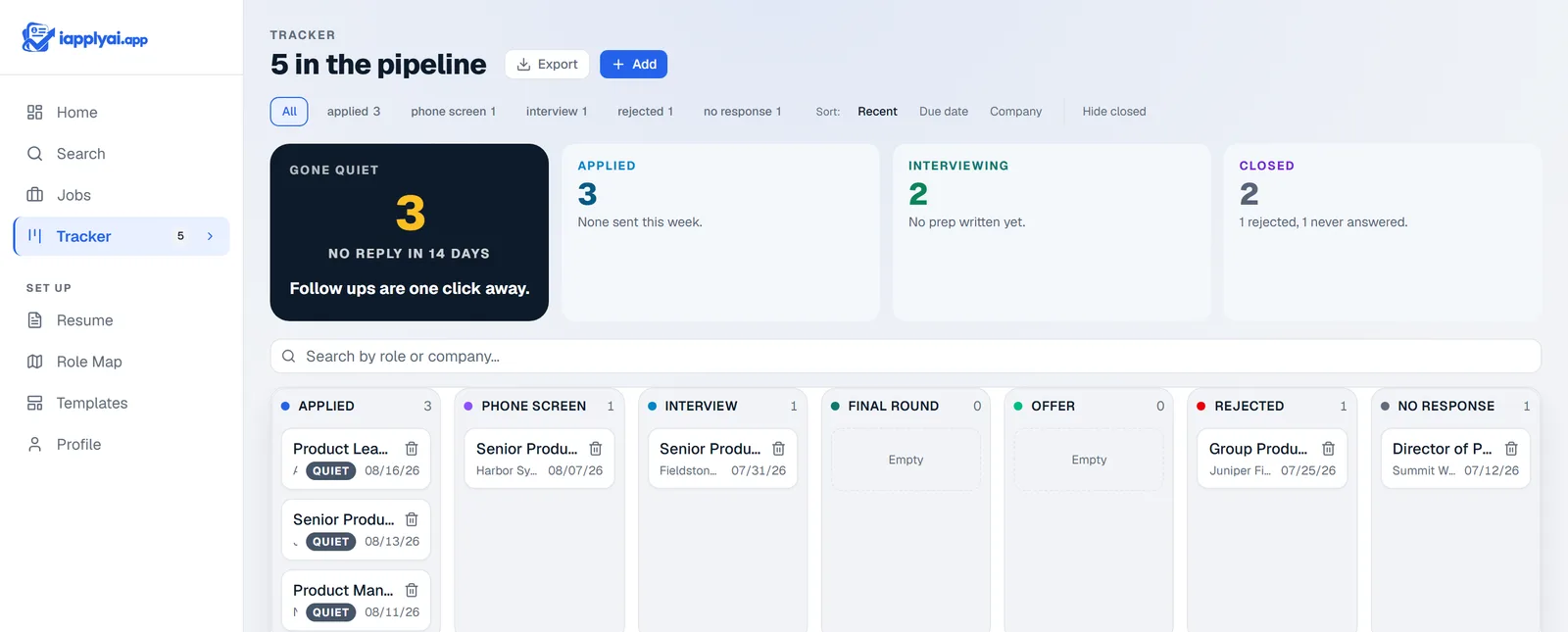
Applying is one event, and the search keeps moving after it. Your applications sit in a pipeline with a status, a next action and a follow up date, so the ones that go quiet are visible instead of forgotten.
Stage eight
Prepare for the interview
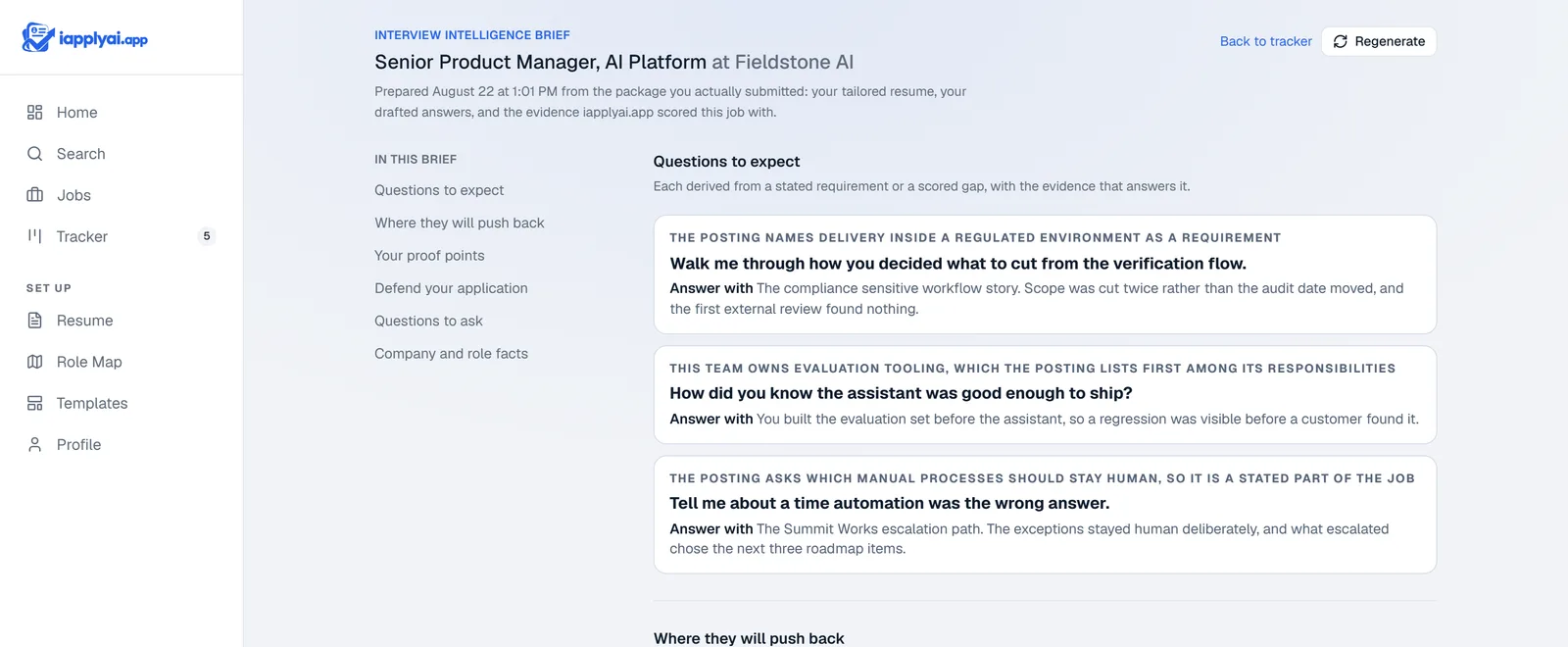
When a conversation is booked, iapplyai.app builds a brief from the application you actually sent: the questions likely to come up, why each one is being asked, the evidence to reach for, and the gaps worth having an answer ready for.
It is preparation for that role at that company, not a list of common interview questions.
Stage nine
Negotiate and decide
When an offer arrives, iapplyai.app tells you whether it is strong, fair or below market, where your leverage actually is, and which terms deserve a second look. It writes the words you could say. The decision, and whether you use them, stays yours.
The search is free.
See your matches without paying anything. You pay when you start sending applications.